

Appearance
The Panel at a Glance
CurveConductor has three tabs. You'll live mostly in Animate; Presets is the fastest way to drop a look; Utilities holds maintenance tools.
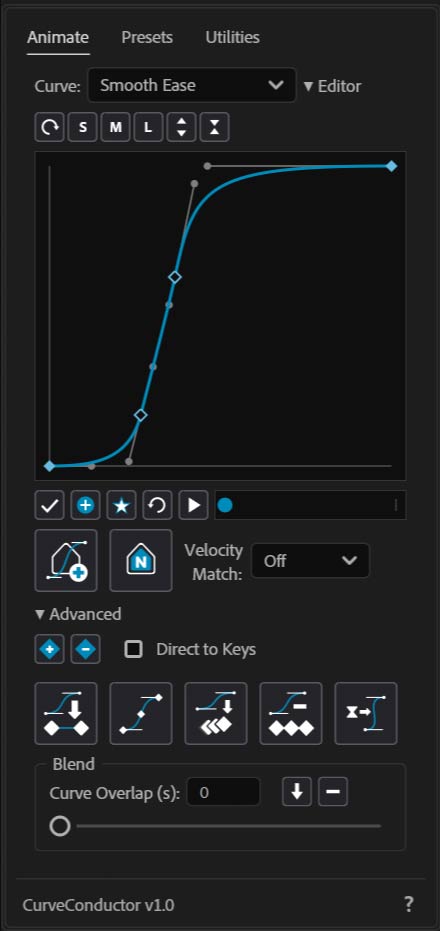
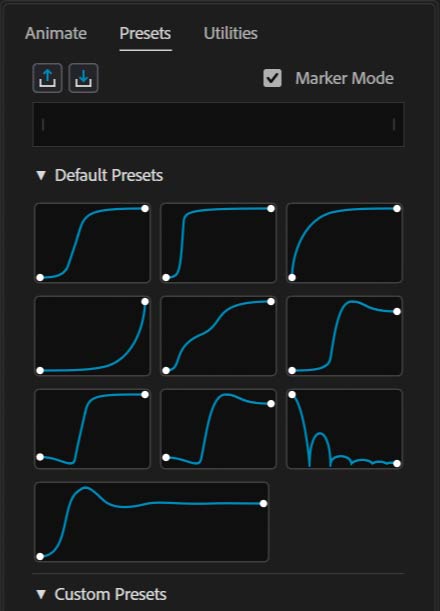
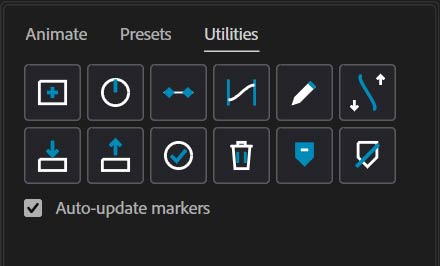
The three tabs
| Tab | Purpose | Key controls |
|---|---|---|
| Animate | Select, edit, and apply curves; the visual editor lives here. | Curve dropdown, play preview, the two marker buttons, Velocity Match, the Curve Editor, and the Advanced apply buttons. |
| Presets | One-click application of ten built-in looks, plus your own custom presets. | Marker Mode toggle, Export / Import buttons, preview strip, preset palette (built-in & custom). |
| Utilities | Control-layer management, baking, diagnostics, markers. | One block of housekeeping buttons (see Utilities) plus an auto-update markers checkbox. |
Animate tab
- Curve: dropdown — choose the active curve (defaults to
Smooth Ease). The play button ( ) beside it previews the motion profile before you apply it.
Add Curve Markerand
Add Native Marker— the two buttons at the heart of marker-driven mode.Velocity Match— modifies how a curve hands off to the surrounding motion (Off,Start/End,Start,End).▼ Editor— show/hide the visual Curve Editor.▶ Advanced— reveals keyframe tools, per-property apply buttons, and theBlendpanel (Advanced & Blending).
Two settings that modify everything
Two controls don't do anything on their own — they change how every other apply button behaves. They're sticky, which means if you leave them on, your next click can produce wildly different results than you expect.
Check these before every apply
Velocity Match(Animate tab) — blends curve speed with the surrounding motion. Leave on, and a routine "apply" can balloon into wild overshoots in places you only wanted a clean curve.Direct to Keys(Advanced section) — switches every apply button from writing an expression to baking the curve into permanent keyframe easing. Forget it's on, and you'll end up with destructive keyframe edits when you expected procedural ones.
Both modifiers apply to the marker buttons and the per-property buttons. Glance at them before you click apply.